
Lexi - Simplifying text with AI for accessible reading
Lexi - Simplifying text with AI for accessible reading
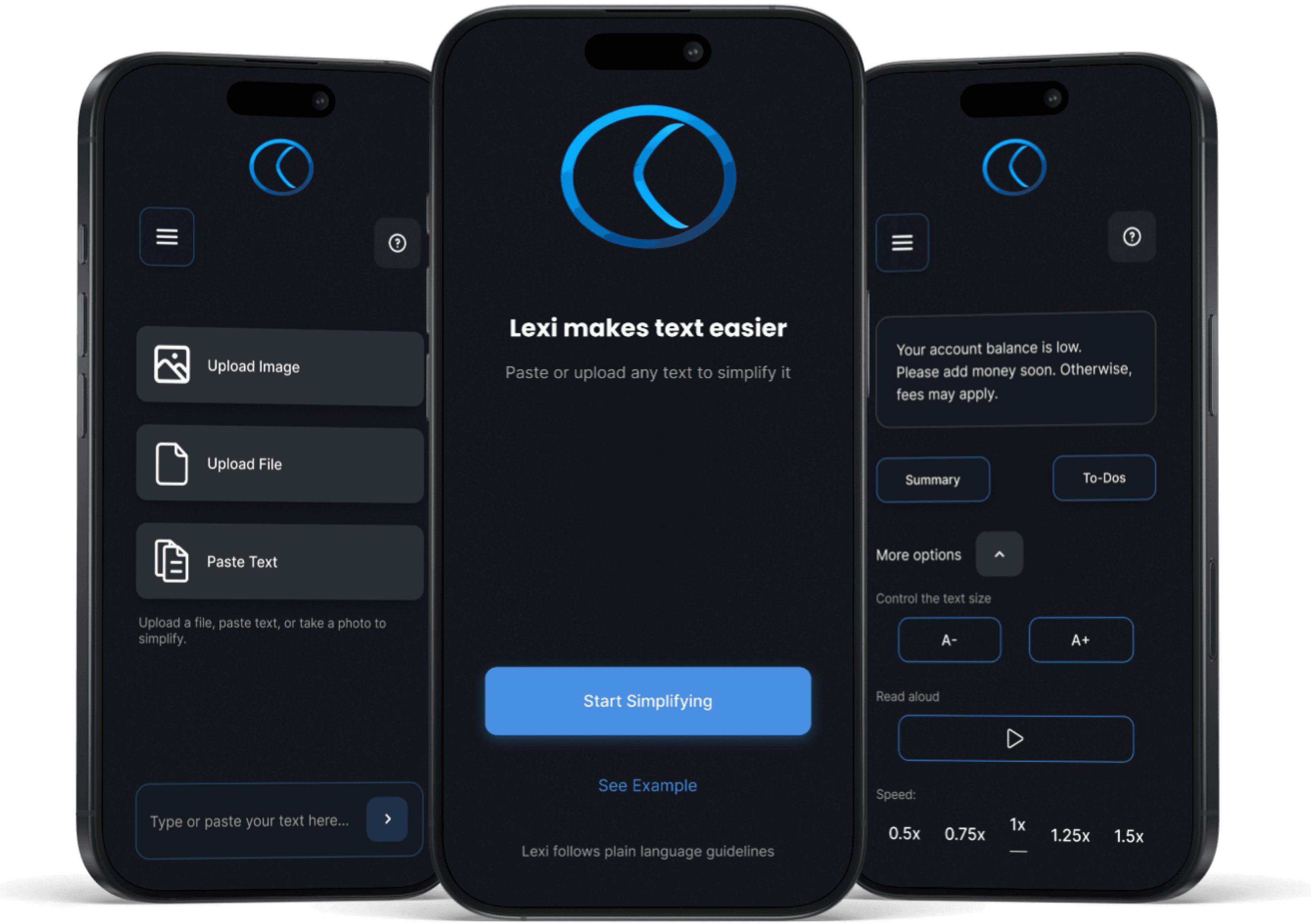
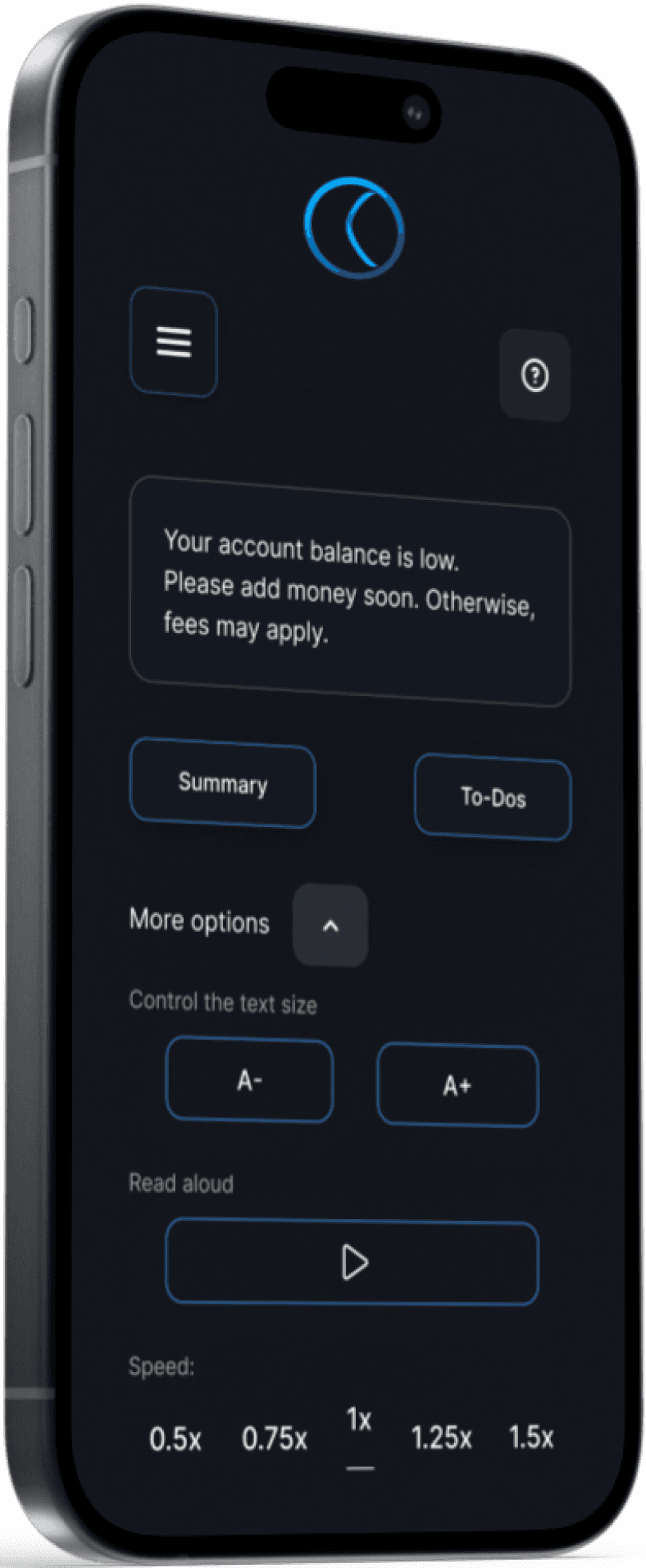
Lexi reduces cognitive text into simple, accessible content. Designed for people with ADHD and older readers, it makes reading calmer and faster.
Lexi reduces cognitive text into simple, accessible content. Designed for people with ADHD and older readers, it makes reading calmer and faster.
Role
Role
UX Designer - Researcher
UX Designer - Researcher
Duration
Duration
4 Weeks
4 Weeks
Tools
Tools
Figma - AI
Figma - AI
Focus
Focus
AI for Accessibility
AI for Accessibility
The Problem
The Problem
Reading dense, complex text creates barriers to comprehension and accessibility.
Reading dense, complex text creates barriers to comprehension and accessibility.
Through conversations with ADHD readers, older adults, and accessibility research, I identified the following main challenges:
Through conversations with ADHD readers, older adults, and accessibility research, I identified the following main challenges:
Cognitive overload
Cognitive overload
Readers with ADHD struggle to maintain focus when faces with long, unstructured text.
Readers with ADHD struggle to maintain focus when faces with long, unstructured text.
Visual strain
Visual strain
Older adults often find small font sizes and low-contrast layouts tiring and inaccessible.
Older adults often find small font sizes and low-contrast layouts tiring and inaccessible.
Loss of context
Loss of context
Dense formatting makes it hard to scan quickly, causing readers to lose track of key points.
Dense formatting makes it hard to scan quickly, causing readers to lose track of key points.
The solution
The solution
Lexi reduces cognitive overload by making reading calmer and more accessible.
Lexi reduces cognitive overload by making reading calmer and more accessible.
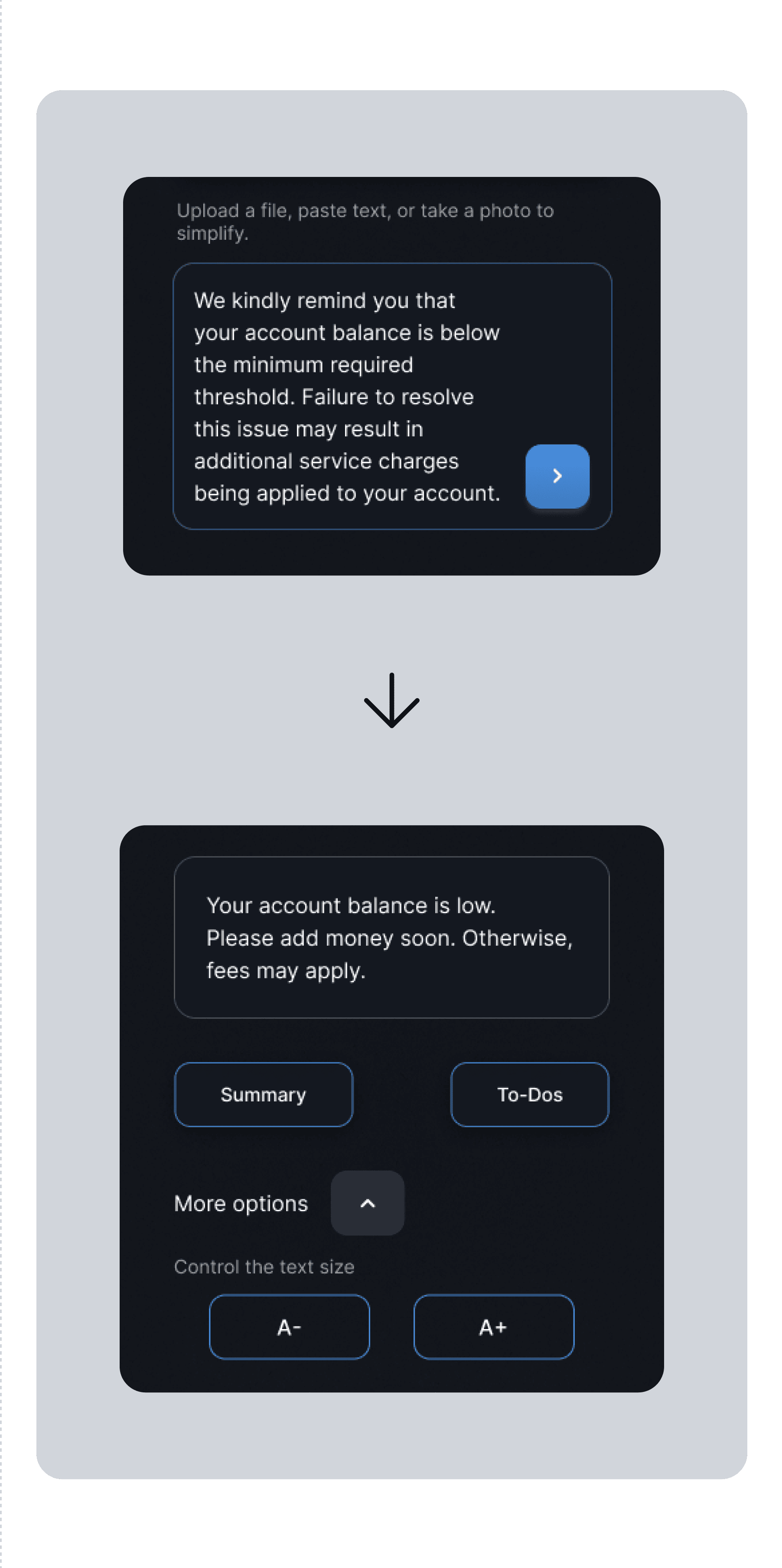
AI simplification - transforms dense paragraphs into easy-to-scan chunks
AI simplification - transforms dense paragraphs into easy-to-scan chunks
Customizable text size - supports older adults with larger, adjustable fonts
Customizable text size - supports older adults with larger, adjustable fonts
High-contrast mode - improves legibility for low-vision readers
High-contrast mode - improves legibility for low-vision readers
From Accessibility Standards
From Accessibility Standards
Plain Language: short sentences (max. 20 words)
Plain Language: short sentences (max. 20 words)
WCAG: scalable text & sufficient contrast
WCAG: scalable text & sufficient contrast
Clear hierarchy layout & typography
Clear hierarchy layout & typography
Predictable navigation patterns
Predictable navigation patterns
Accessibility also means reducing cognitive load
Accessibility also means reducing cognitive load
From User Research
From User Research
ADHD readers lose focus in long paragraphs
ADHD readers lose focus in long paragraphs
Older adults struggle with small fonts & clutter
Older adults struggle with small fonts & clutter
Dense layout cause fatigue and stress
Dense layout cause fatigue and stress
Complex test is easy to abandon
Complex test is easy to abandon
User research revealed that cognitive overloard is the biggest barrier to engagement.
User research revealed that cognitive overloard is the biggest barrier to engagement.
Who we design for
Who we design for

Anna (29) - ADHD
Anna (29) - ADHD
Overwhelmed by long, dense paragraphs
Overwhelmed by long, dense paragraphs
Focus drops after just a few sentences
Focus drops after just a few sentences
Needs short, clear wording and visual breaks.
Needs short, clear wording and visual breaks.

Peter (65) - Older reader
Peter (65) - Older reader
Struggles with small fonts and low contrast
Struggles with small fonts and low contrast
Loses track in cluttered layouts
Loses track in cluttered layouts
Needs larger text, clear hierarchy, predictable patterns
Needs larger text, clear hierarchy, predictable patterns
What shaped Lexi
What shaped Lexi
From these personas I distilled the key accessibility challenges that guided Lexi’s design.
From these personas I distilled the key accessibility challenges that guided Lexi’s design.
INSIGHT #1
INSIGHT #1
Too many options cause overload
Too many options cause overload
INSIGHT #2
INSIGHT #2
Font size must be immediate
Font size must be immediate
INSIGHT #3
INSIGHT #3
Audio support reduce barriers
Audio support reduce barriers
How users interact with Lexi
How users interact with Lexi
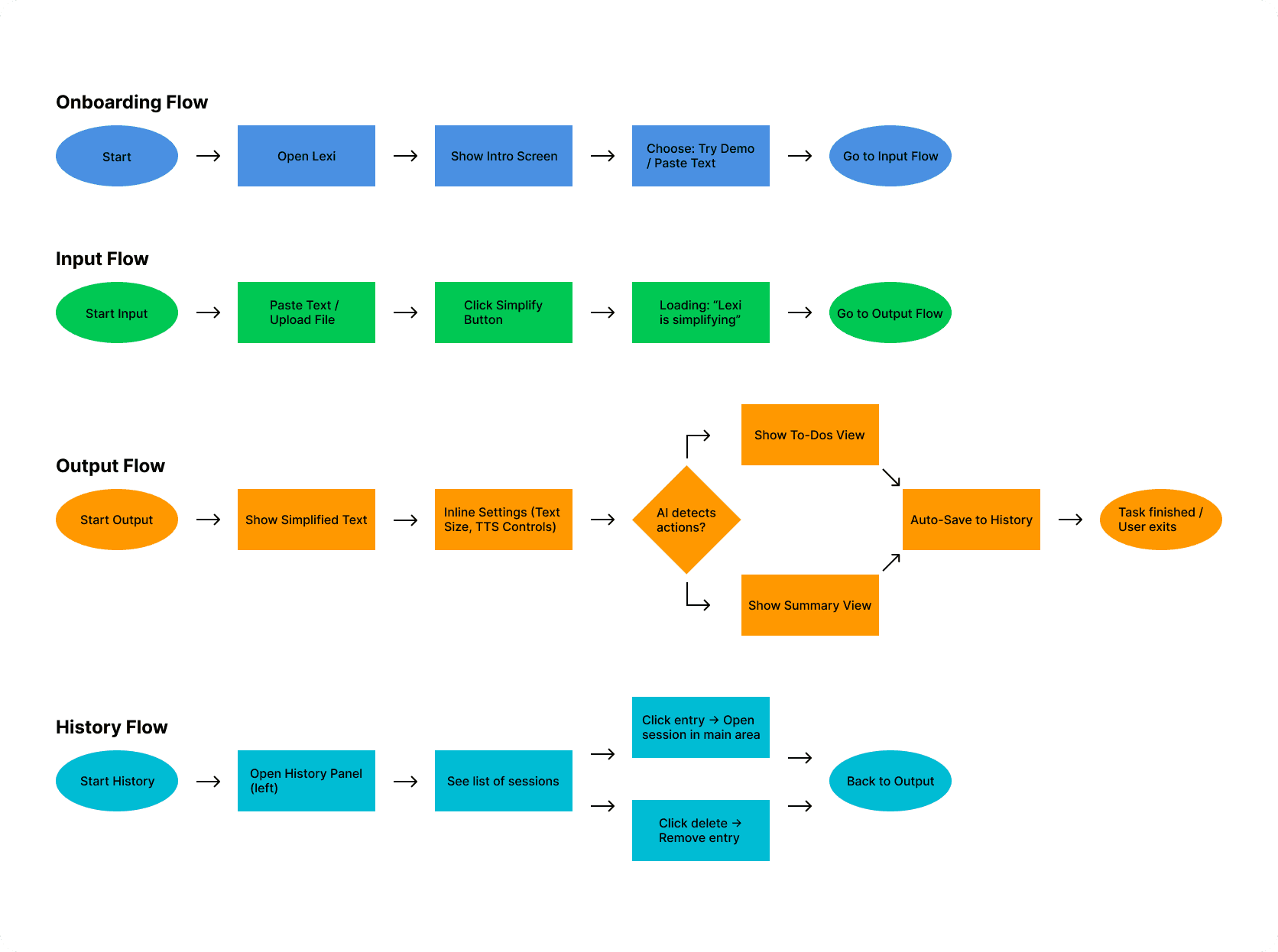
To address these challenges, I mapped out the key flows that guide users from uploading text to simplifying and listening to it.
To address these challenges, I mapped out the key flows that guide users from uploading text to simplifying and listening to it.
Wireframes & Early Concepts
Wireframes & Early Concepts
With the flows defined, I translated the main interactions into low-fidelity wireframes to test structure and navigation
With the flows defined, I translated the main interactions into low-fidelity wireframes to test structure and navigation
With the flows defined, I translated the main interactions into low-fidelity wireframes to test structure and navigation
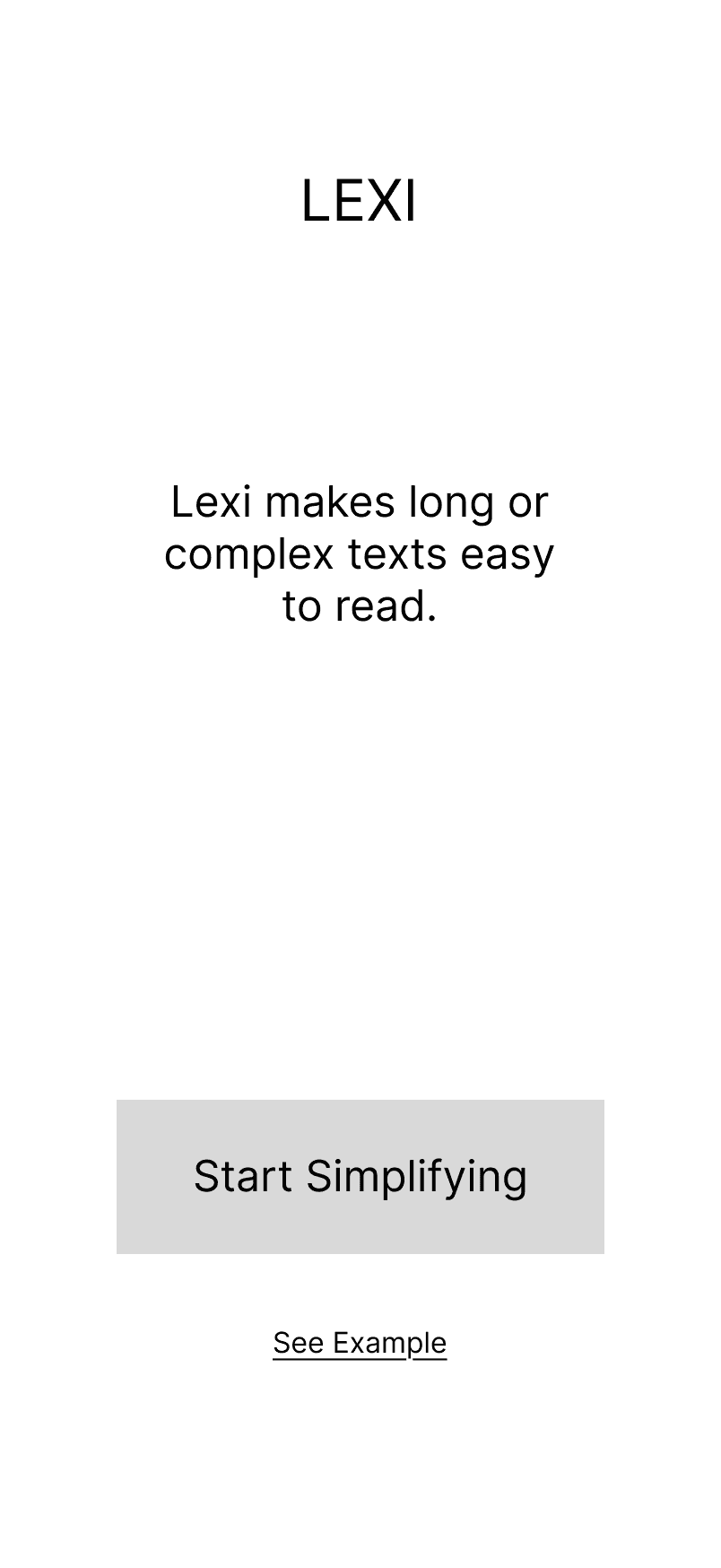
Onboarding
Minimal intro to avoid overload.
Onboarding
Minimal intro to avoid overload.
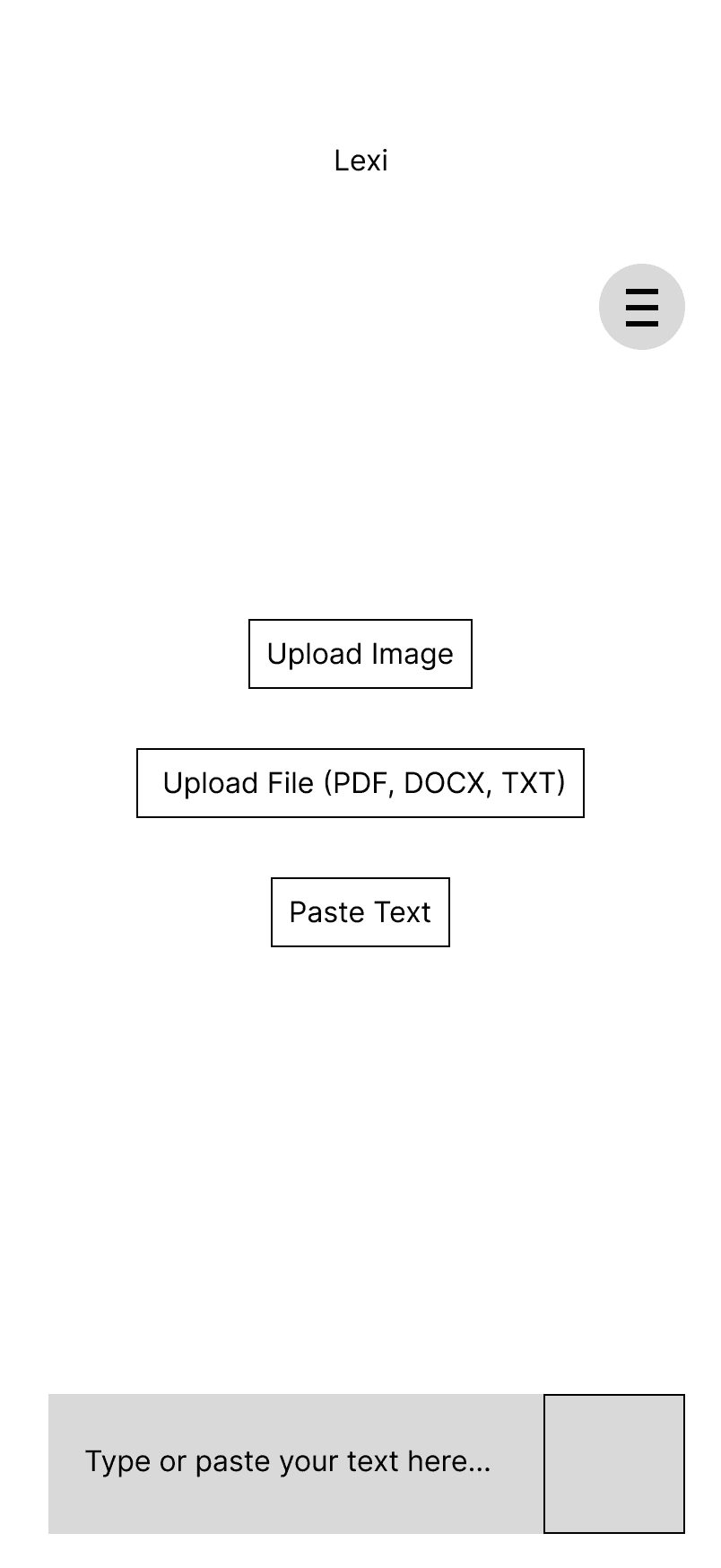
Input
Paste and upload kept as lowest effort options.
Input
Paste and upload kept as lowest effort options.
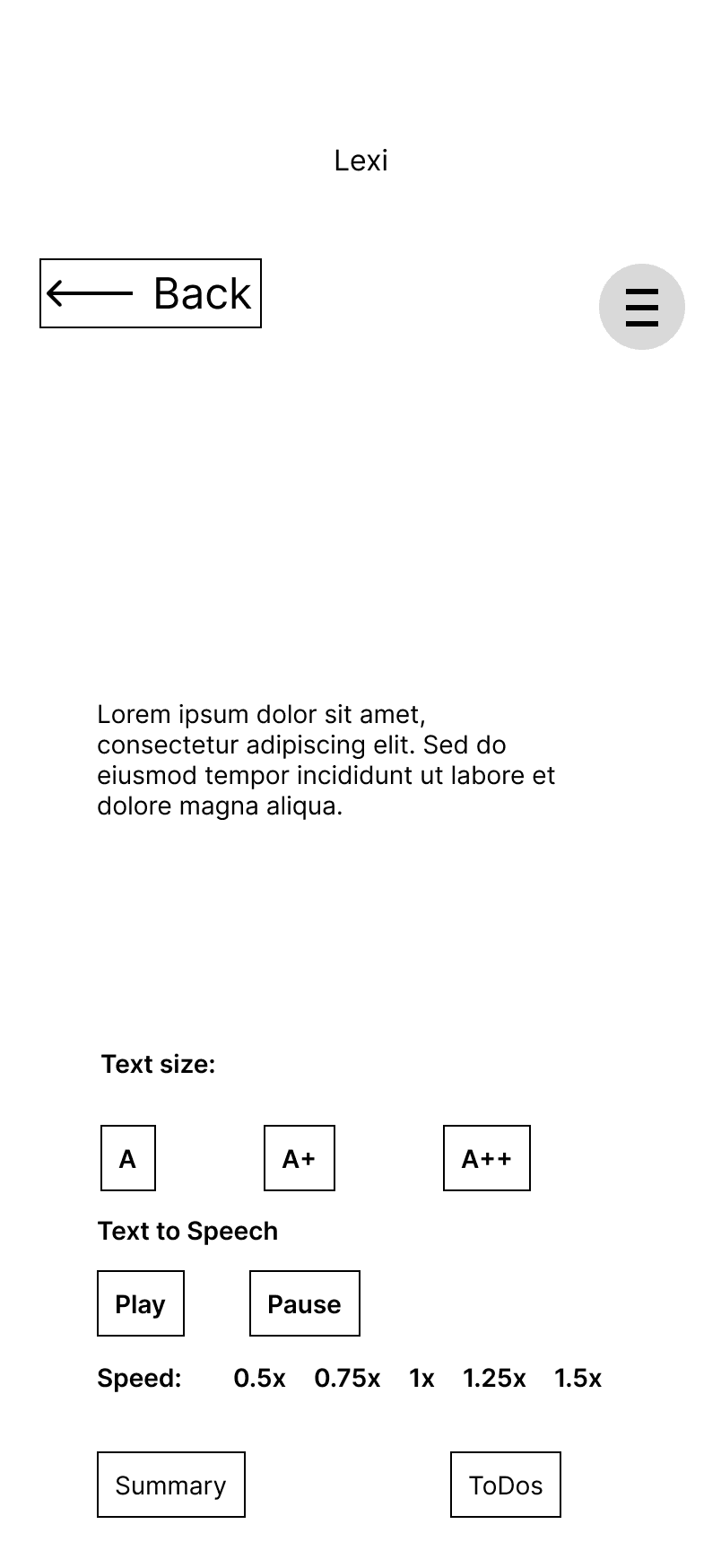
Output
Font size and text to speech added for accessibility.
Output
Font size and text to speech added for accessibility.
Final Screens & Iterarions
Final Screens & Iterarions
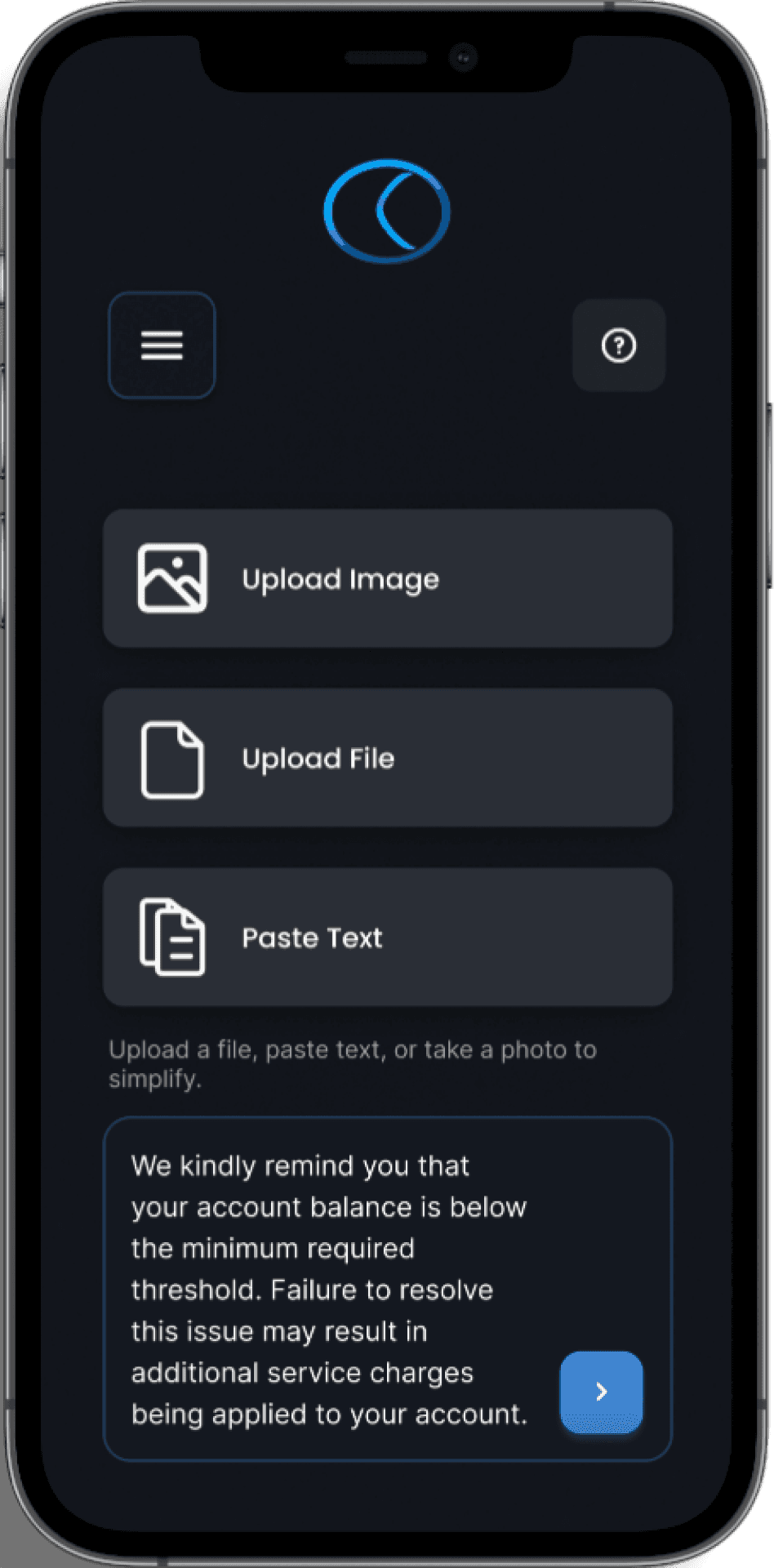
After validating the structure with wireframes, I refined Lexi into high-fidelity screens with a focus on readability and accessibility.
After validating the structure with wireframes, I refined Lexi into high-fidelity screens with a focus on readability and accessibility.
After validating the structure with wireframes, I refined Lexi into high-fidelity screens with a focus on readability and accessibility.
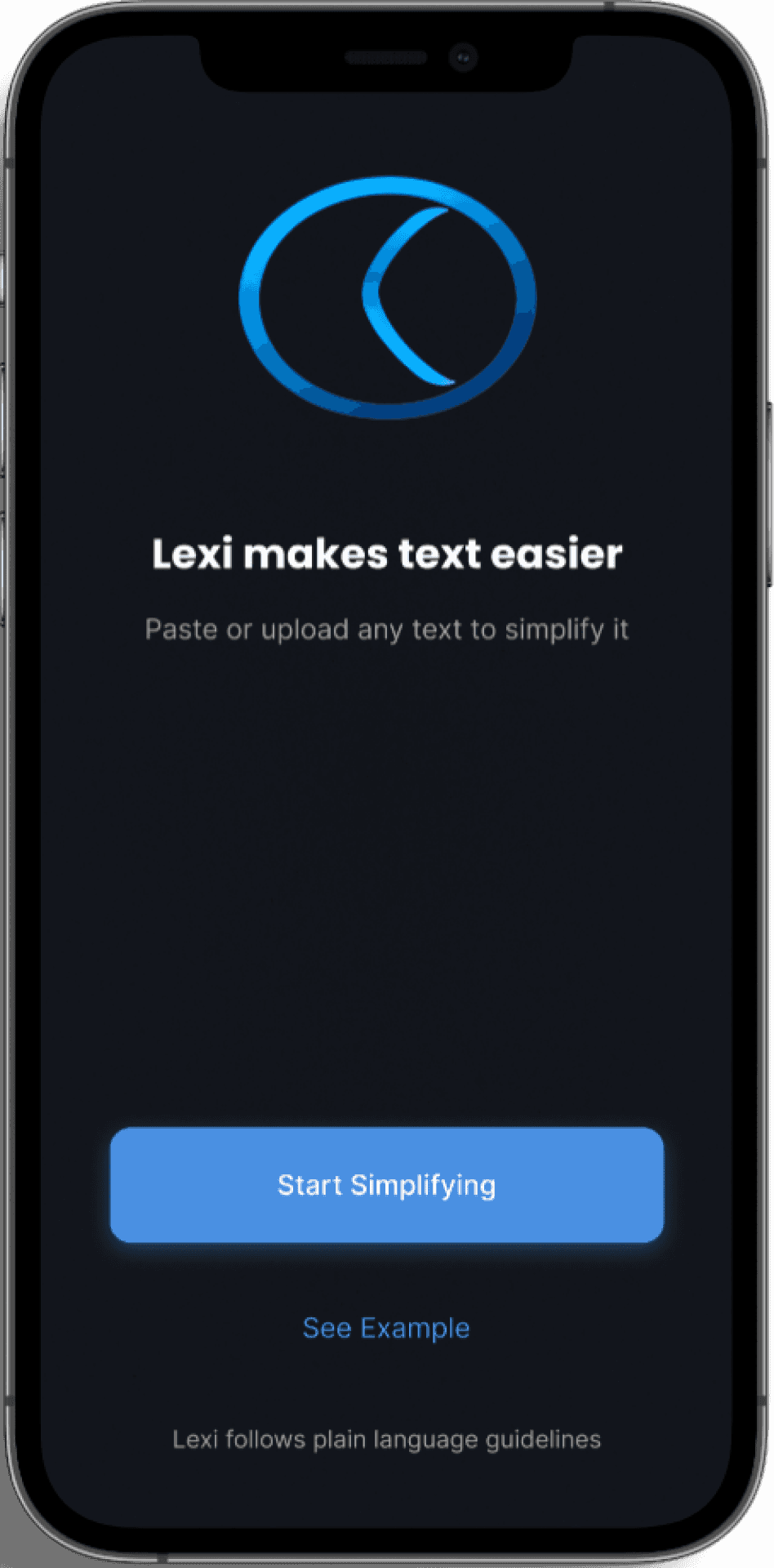
Onboarding (Hi-Fi)
Minimal intro to avoid overload.
Onboarding (Hi-Fi)
Minimal intro to avoid overload.
Input (Hi-Fi)
Clean input screen with instant paste/upload and clear CTA.
Input (Hi-Fi)
Clean input screen with instant paste/upload and clear CTA.
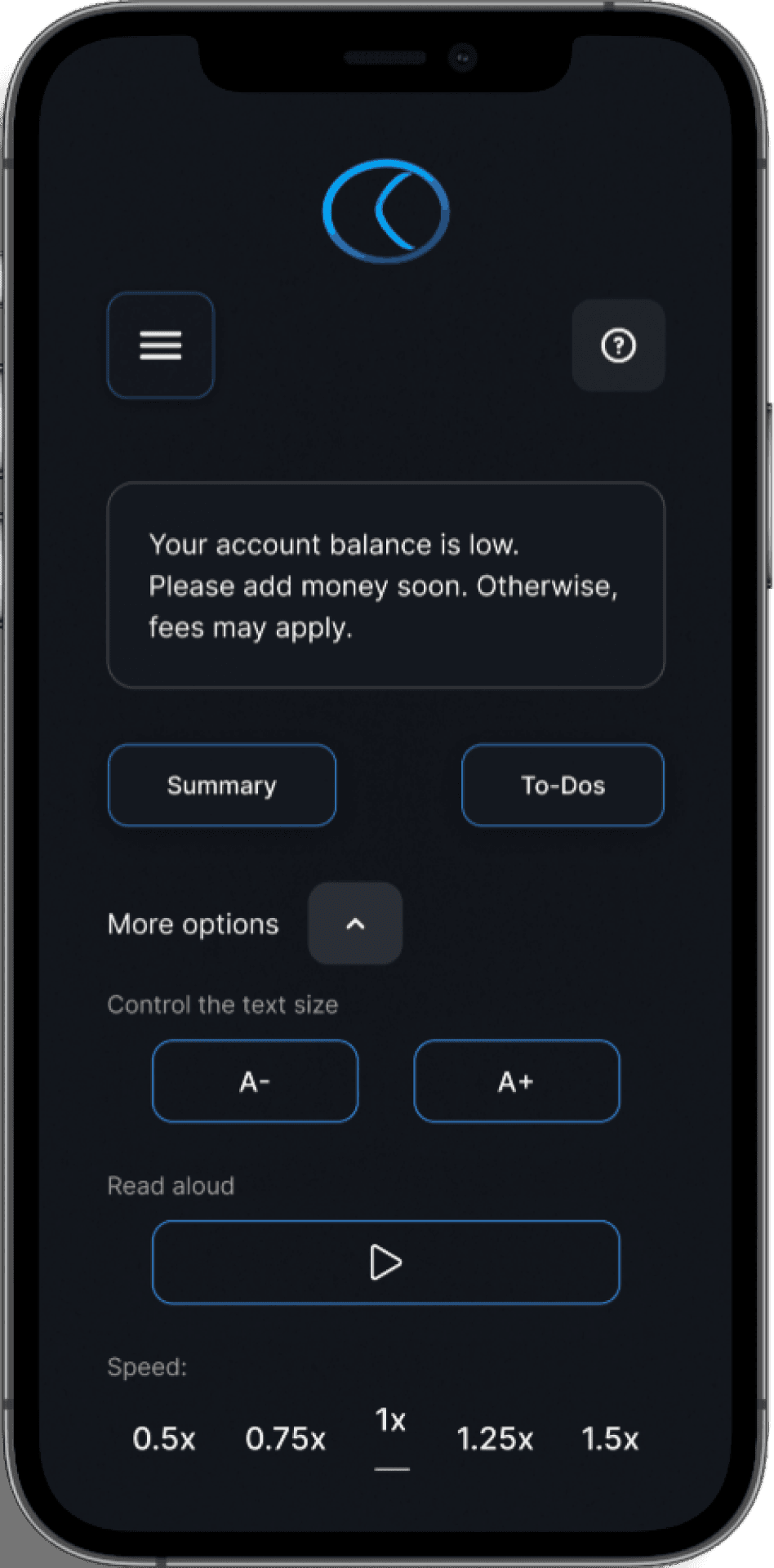
Output (Hi-Fi)
Simplified view with adjustable font size and one-tap text-to-speech.
Output (Hi-Fi)
Simplified view with adjustable font size and one-tap text-to-speech.
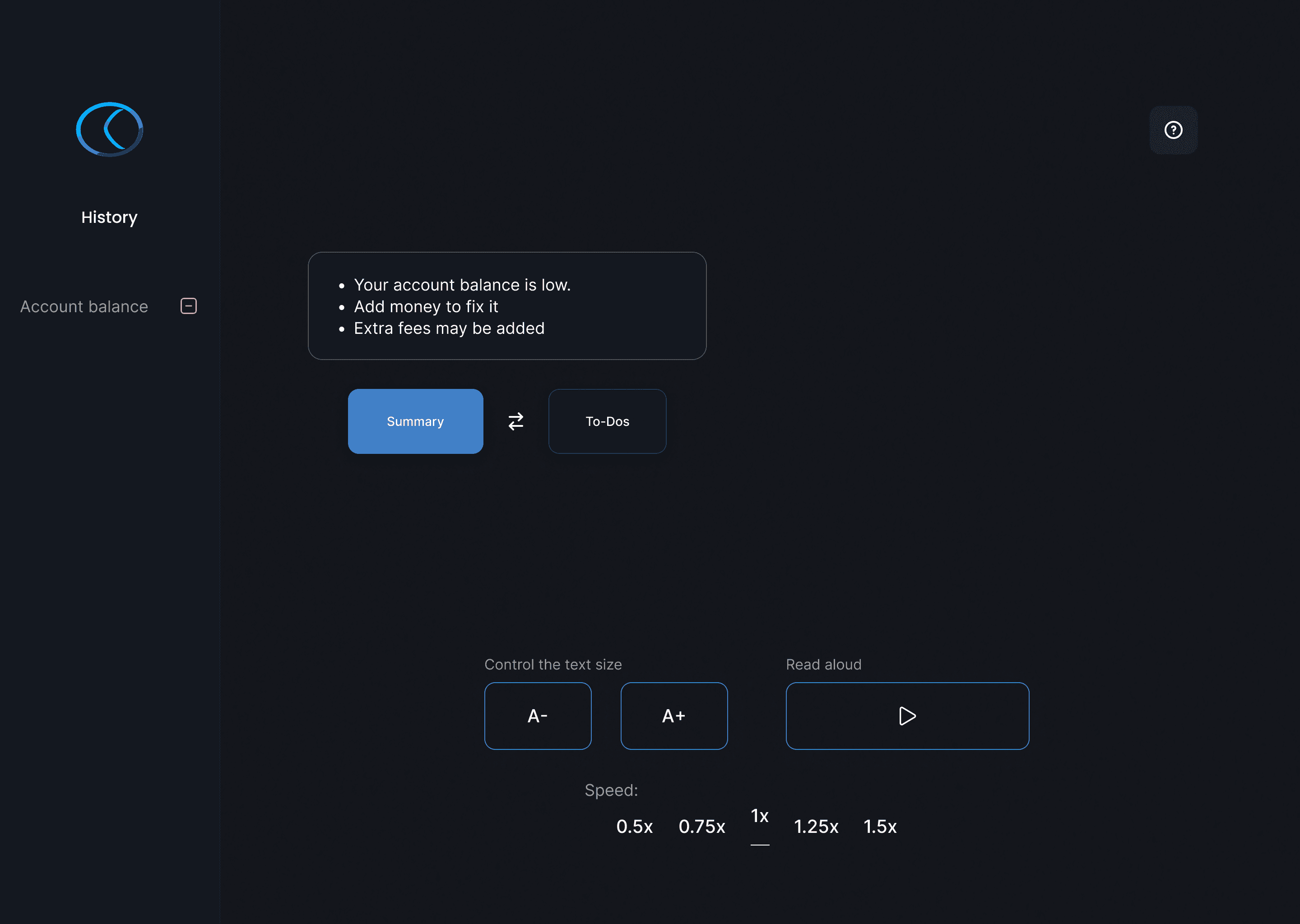
Desktop (Hi-Fi)
Responsive desktop layout for longer reading sessions and accessibility at scale.
Micro-interactions in Lexi
Micro-interactions in Lexi
Lexi uses lightweight interactions to reduce cognitive load and provide immediate feedback.
Lexi uses lightweight interactions to reduce cognitive load and provide immediate feedback.
Instant font scaling keeps readers in flow and supports individual accessibility needs.
Instant font scaling keeps readers in flow and supports individual accessibility needs.

One-tap toggle between original and simplified text ensures clarity without adding friction.
One-tap toggle between original and simplified text ensures clarity without adding friction.

From Overload to Focus
From Overload to Focus
In the first version, all controls sat directly on the output screen - causing visual clutter and breaking the reading flow. I solved this by moving secondary actions into a “More Options” menu, reducing overload while keeping advanced controls instantly accessible.
In the first version, all controls sat directly on the output screen - causing visual clutter and breaking the reading flow. I solved this by moving secondary actions into a “More Options” menu, reducing overload while keeping advanced controls instantly accessible.
What I Learned
What I Learned
User research was crucial for this project. Testing revealed that the first design caused cognitive overload. After simplifying the interface, 7 out of 10 participants said it felt calmer and easier to read.
The core lesson: simplicity isn't about fewer features, but about removing distractions to create inclusive, human-centered dei
User research was crucial for this project. Testing revealed that the first design caused cognitive overload. After simplifying the interface, 7 out of 10 participants said it felt calmer and easier to read.
The core lesson: simplicity isn't about fewer features, but about removing distractions to create inclusive, human-centered dei
Looking Ahead
Looking Ahead
The next step for Lexi is personalization: allowing users to save preferred font size and reading speed. I would also run usability tests with a broader and more diverse group to validate assumptions and uncover new accessibility needs.
The next step for Lexi is personalization: allowing users to save preferred font size and reading speed. I would also run usability tests with a broader and more diverse group to validate assumptions and uncover new accessibility needs.